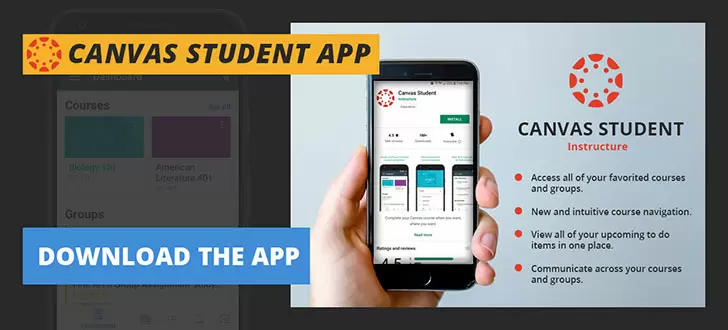
About Canvas Student
| Name: | Canvas Student |
| Price: | Free |
| Version: | V6.10.0 |
| Author: | Instructure |
| Category: | education |
| Package: | com.instructure.candroid |
Canvas Student Overview
Canvas Student is an e-learning platform designed to provide a comprehensive learning experience for students, making it easy to manage assignments, engage with coursework, and communicate with instructors and peers.
Brief
Canvas Student is a learning management system that provides an interactive and organized learning environment for students to access course materials, assignments, and grades. The platform allows users to download the mobile app for on-the-go access, and student success teams and support are available to assist with various aspects of the platform. Canvas Student is available for both mobile and desktop users and supports various file and media formats for streamlined learning.
How to Use
Accessing Canvas Student from the Mobile App
1. Download the Canvas Student app from the App Store for iOS devices or the Google Play Store for Android devices.
2. Sign in with the school's public course key and account information.
3. View information on upcoming assignments, due dates, and grades.
4. Upload assignments from mobile device photographs, Google Drive, or other compatible sources using the mobile app.
5. Complete online discussions, quizzes, and exams on the mobile app.
6. Direct messages to faculty and peers are accessed through the app's messaging system.
Using Canvas Student on Desktop
1. Create a Canvas Student account using the school's course key and account information.
2. View or complete assignments, access graded work, and submit extended responses or multimedia projects on a larger screen.
3. Download content to review offline.
4. Consistency is key when using multiple courses, thanks to customizable and organized dashboards.
5. Communication with faculty and peers via email is located on the main interface.
Features
1. Student Dashboard: The central hub where students can view and organize assignments, events, and grades across multiple courses.
2. New Submission: Upload a variety of file formats to complete assignments on desktop or mobile devices.
3. Quizzes and Exams: Receive immediate results, detailed feedback, and a report of completed exams and quizzes.
4. Discussions: Participate online in class discussions for group assignments and immediate feedback from teachers and class peers.
5. Side Navigation: Arrange course content under different categories to maintain organization in courses and achieve goals effectively.
6. Downloadable Files: Download submissions for offline access or preservation in a local external drive.
7. Audio and Video Tools: Read Module Scores, customize information, and upload presentations to the platform.
8. NetSpot: Explore education topics on a dashboard, discover intel on every grade, course responsibility, and overall academic health.
9. Calendar: List all upcoming events in student's school calendar.
Pros
1. Organization: Canvas Student organizes coursework and deadlines for clear understanding.
2. Accessibility: Offers all-in-one seamless communication between students, teachers, and professors.
3. Mobile Access: Access and submit work on the go through the Canvas Student app.
4. User-Friendly: Easily usable by first years or students in varying proficiency levels.
5. Downloaded Content: Access and download files for offline access, ensuring all most recent course notes are available.
Cons
1. Steep Learning Curve: Initial usage training may be needed for all users to operate platforms to maximum capacity.
2. Credit Lateness: Canvas penalty system can be challenging to manage for students who struggle with deadlines.
3. Material migration: Canvas may take several weeks or months for admin to resolve issues with course material and item uploads.
4. Downloaded Content Ownership: Siloes are nowhere to be seen in some Canvas Institution modules and incomplete data.
Conclusion
Overall, Canvas Student aims to support students pursue knowledge with top-grade organization, communication tools, and assessments. To simplify the user experience, Canvas initiatives educate users regarding the full programming of Canvas Student in tutorial-courses like Canvas Basics by software developer, Structure.io.